Shopify Instagram feed not working or not updating? Causes and fixes
Why an Instagram feed on a Shopify store goes blank, stops updating or won't connect, and how to fix each cause, from Instagram's API changes to theme settings.
By Zegsu team7 min read
When an Instagram feed on a Shopify store stops working, it's usually one of five things: Instagram ended the app's access to your account, the account isn't a Business or Creator account, the feed section isn't on your published theme, the app's plan has hit a limit, or the feed was built on an Instagram API that no longer exists. This guide helps you find which one from what you see, and how to fix it.
Find the cause from what you see
| What you see | Likely cause | Fix |
|---|---|---|
| The feed is gone from the store entirely | The feed section isn't on your published theme, or it's hidden | Open Online Store > Themes > Customize on the live theme and check the section is there and visible |
| The feed shows, but new posts don't appear | Instagram ended the app's access, or the app syncs on a slow schedule | Reconnect Instagram in the app; check how often your plan syncs |
| A blank box or an error where the feed was | An old script or app that used Instagram's Basic Display API, or the app's server didn't respond | Replace it with an app that uses Instagram's current API |
| The app won't connect your account | The account is personal, or access wasn't allowed during login | Switch to a Creator or Business account and connect again |
| The feed worked, then stopped after a few visits | A free plan that caps visits or views | Check the app's plan limits |
| A Reel shows as a still picture | Instagram didn't provide the video, often for Reels with licensed music | Use original audio, or accept the cover image |
Instagram ended the app's access
An Instagram feed app reads your posts through Instagram's API, using access you gave it when you connected. Instagram can end that access, and then no new posts come through. Common triggers:
- You changed your Instagram password. Instagram can sign the app out with it.
- The app was removed from Instagram. In Instagram, Settings > Apps and websites lists the apps you've connected; removing one there ends its access.
- Access wasn't fully allowed. If you didn't allow access to your profile and posts during login, the app can't read them.
Fix: open the app and reconnect Instagram, allowing access to your profile and posts. Most apps show a warning when this happens; some also email you.
What your store shows in the meantime depends on the app. If the app loads posts from Instagram or from its own servers each time a shopper opens the page, the feed can go blank. If the app has copied your posts into your store, it keeps showing the last ones until you reconnect.
The account isn't a Business or Creator account
Instagram only lets apps read posts from professional accounts, which are Business and Creator accounts. If you switched your account back to personal, or made it private, apps lose access to your posts.
Fix: in Instagram, go to your profile, open Settings, then Account type and tools, and tap Switch to professional account. Choose Creator or Business. It's free, and it doesn't change your posts or followers. Then connect the account in the app again.
If the app connects but shows the wrong account, Instagram logged you in with whichever account was already signed in on that browser. Log out of Instagram in that browser and connect again.
The feed section isn't on your published theme
Most feed apps add the feed as an app section (or app block) in the theme editor. A few things can take it off your live store without you noticing:
- You published a different theme. App sections are saved per theme. If you added the feed to a copy of your theme and then published another one, add the section again on the theme that's live.
- The section is hidden. In the theme editor, a hidden section has a crossed-out eye icon.
- The section was saved on one template only. A feed added to the home page doesn't appear on product pages unless you add it to the product template too.
- Your theme is a vintage theme. App sections need an Online Store 2.0 theme. Dawn, Horizon and most themes from the Theme Store are 2.0; older themes can't add app sections.
Fix: open Online Store > Themes, click Customize on the theme marked as current, open the page where the feed should be, and check the section is there, visible and saved.
The feed was built on Instagram's old API
Meta shut down the Instagram Basic Display API on December 4, 2024. Feeds that used it, including many free code snippets, older apps and website widgets, stopped loading posts after that date. They now show nothing, an error or the last cached posts.
Fix: remove the old code or app and install one that uses Instagram's current API, which connects with an Instagram or Facebook login and needs a Business or Creator account. If you pasted code into your theme for the old feed, remove it too, so it doesn't leave an empty space or a script error on the page.
The app hit a plan limit
Some free plans stop showing the feed or limit features once you pass a threshold. Among the apps in our comparison of Shopify Instagram feed apps, two free plans cap storefront visits or visitors, and one free plan syncs once a day, so new posts can take up to a day to appear. Others limit how many posts can be shoppable.
Fix: check the plan page in the app, or the pricing on its App Store listing, for visit caps, view caps and sync frequency.
The feed is slow or blank only sometimes
If the feed appears on some visits and not others, or pops in late, the app probably loads it with a script after the page loads, fetching posts from the app's servers or from Instagram. When either is slow or down, the feed is late or blank. Instagram outages happen, and there's nothing on your side to fix during one.
Fix: ask the app's support where the feed loads from. An app that builds the feed into the page from your own store's files doesn't depend on Instagram being up when a shopper visits.
Reels show a picture instead of playing
Apps can only play a Reel if Instagram provides its video file. Instagram often holds back the video for Reels that use licensed music, so apps show the cover picture instead. Very large videos, and video slides inside carousels, may also show a cover depending on the app.
Fix: for Reels you want to play on your store, use original audio. Otherwise, the cover still opens the post.
If you use Zegsu Instafeed
Start with Home in the app. It tells you whether the feed is live on your published theme and when your posts last synced.
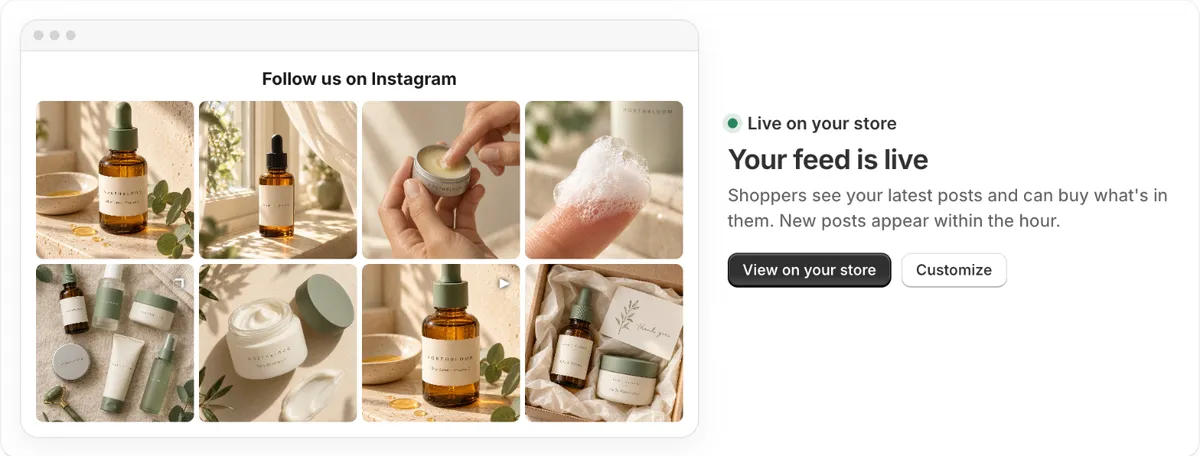
- Home says Instagram needs reconnecting: click Reconnect Instagram and log in again. Your store keeps showing your last posts until you do, because Zegsu Instafeed copies your posts into your store's Shopify Files and builds the feed into the page. Why the app says Instagram needs reconnecting.
- Home doesn't say your feed is live: click Add to home page and Save in the theme editor, or check the points in why your feed isn't showing, such as a paused feed on the Free plan or a product-page filter with no tagged posts.
- A new post hasn't appeared: posts sync every hour. Click Sync now on Home to fetch one straight away.
- A Reel shows its cover: see why a Reel shows a picture instead of playing.
- The account won't connect: see why you can't connect your Instagram account.
If none of these fit, use Support inside the app and we'll look at your store with you.
Switching from a feed that keeps breaking
If your current feed goes blank whenever Instagram or the app's servers have a problem, or it stopped after the Basic Display API shutdown, it may be easier to switch than to fix it. Remove the old app's section from your theme (and any code you pasted in), then set up the new one; our guide to adding an Instagram feed to Shopify walks through it.
Zegsu Instafeed is free to start, with hourly sync, product tags on up to 6 posts, no view limits and an email if Instagram disconnects. Install it from the Shopify App Store.
FAQ
Why did my Instagram feed disappear after I changed my theme? Feed sections are saved per theme. Add the section again on your newly published theme.
Why does my feed show old posts? The app has lost access to Instagram, or it syncs on a slow schedule. Reconnect Instagram in the app and check how often your plan syncs.
Can I fix a feed that used the Basic Display API? No. Meta shut that API down, so the feed can't get new posts. Replace it with an app that uses Instagram's current API.
Does a feed app need my Instagram password? No. You log in on Instagram's or Facebook's own page and allow access; the app never sees your password.